Material Filter
Search your materials with filters.
Search your materials with a filter dialog.
The new version of C4D has built-in material search, which can be utilized via its native functions
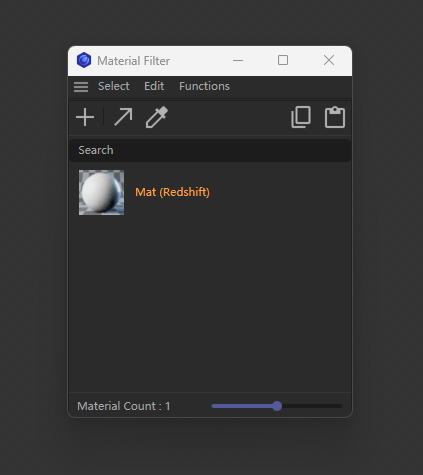
Main features
-
Add the Search ability to search material with names.
Double click to open material editor (on image).
Double click to rename material(on name).
Double click to create material of current renderer(on blank).
Main functions like C4D Material Manager(Ctrl + Drag to duplicate and so on)
Only show search results in the material manager too.
when closed the window, it will show all the hide material.
-
Edit :
Copy/Cut/Paste materials like origin.
Set materials with the same type with selected material.
-
Functions :
remove unused material, will try to run octane remove and c4d remove function.
sort materials by name
delete unused material tags
Hide this dialog like the original material manager, this is a foldable dialog.
Changelog
- 1.0.1 - Fix known issues
- 1.0.0 - Release